We’ve all heard the stories of officers who never left their desks, yet somehow logged every round as complete—only to discover later that an inmate had died from self-inflicted injuries several hours earlier.
Missing a round is one thing. However, documenting that it was completed when it wasn’t is something entirely different. There is no question that front-line staff are stretched thin by the overwhelming number of tasks on their plate while facing chronic understaffing. Late or missed rounds will inevitably happen from time to time—no officer is perfect.
However, intentionally falsifying documentation that states inmate checks were completed when they weren’t exposes agencies to irreversible liability. This is the fundamental risk of pen-and-paper documentation or other outdated guard tour systems: there is no single source of truth.
How can agencies hold their officers accountable and ensure that they are conducting rounds and making defensible observations of those in their custody? This blog explains how Command Cloud not only verifies officer proof of presence but also captures every detailed interaction had with any inmate at any time, in any location.
What is Command Cloud?
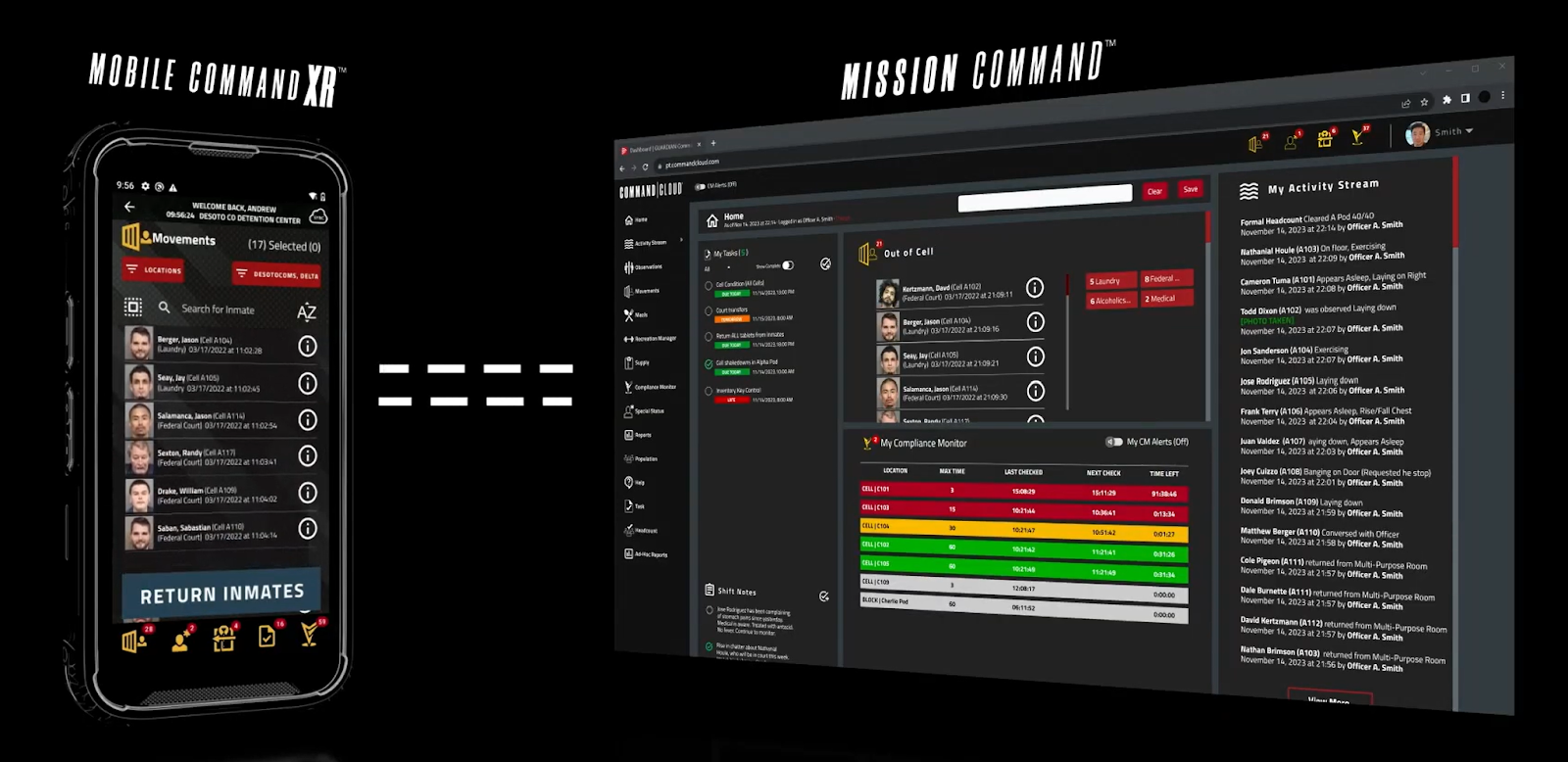
First things first—Command Cloud is an officer experience platform that integrates tools into one seamless system, delivering a real-time common operating picture for faster, smarter decision-making.
Command Cloud is designed to give correctional staff real-time insight and operational control through its two core components: Mobile Command XR and Mission Command. Mobile Command XR, which operates on SPARTAN, is the industry’s most trusted and widely deployed mobile inmate-tracking solution. Mission Command is a Cloud-native application that provides users with a common operating picture of everything that’s happening in the facility—accessible directly from a desktop.
In short, Command Cloud verifies officer proof of presence by using Mobile Command XR to capture data on the floor and making it fully reviewable in Mission Command. But how is the data captured in the first place?
RFID Scanning
Command Cloud captures data through Radio Frequency Identification (RFID). For this blog, we’ll focus on the three primary RFID-enabled tools: Hard Tags, wristbands, and ID cards.
Hard Tags are RFID tags that are strategically placed throughout the facility in locations that officers routinely visit during rounds. Wristbands and ID cards are inmate identification methods that enable detailed, accurate data capture.
%20-%202024%20(1)-png.png?width=280&height=465&name=SPARTAN_3_HeadOn%20(Big%206%20Screen)%20-%202024%20(1)-png.png) All Hard Tags, wristbands, and ID cards contain a unique RFID chip that is scanned by an RFID reader, such as a SPARTAN.
All Hard Tags, wristbands, and ID cards contain a unique RFID chip that is scanned by an RFID reader, such as a SPARTAN.
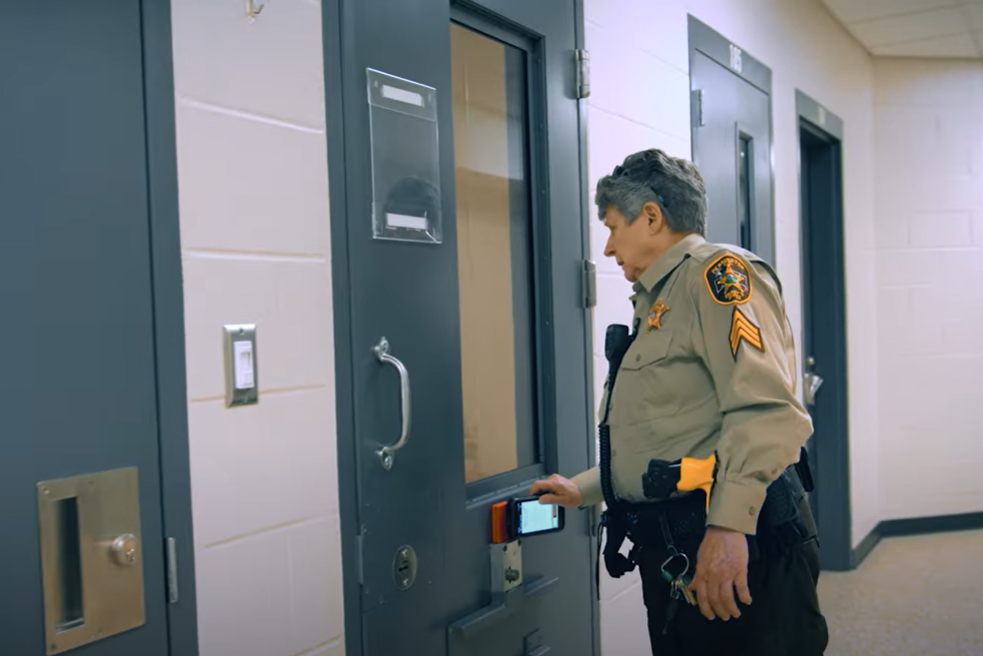
SPARTAN was intentionally designed to function as both an RFID reader and the device that powers Mobile Command XR. This allows officers to scan an RFID chip and instantly view the associated inmate or location data on-screen in real time. With Mobile Command XR in hand, officers document exactly what is happening at the point of responsibility.
Because every Hard Tag is fixed to a mapped location—such as a specific cell, run, or pod—every scan verifies the officer’s presence at that exact location, as well as the officer who scanned it and the selected inmate(s) that officer interacted with. And because every wristband and ID card is tied to a specific inmate, any scan will verify the officer’s interaction with the inmate, such as offering a meal, supply item, or med pass, along with the officer responsible for that interaction.
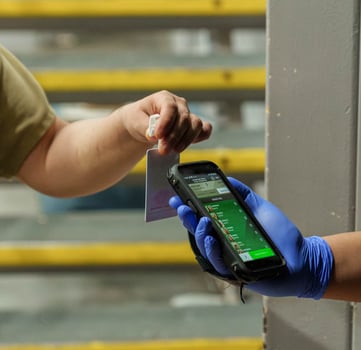
Scanning a Hard Tag records the precise location of the scan because they are permanently fixed in a specific, known location within the facility. Each scan can therefore be confidently tied to that exact physical point.
Wristbands and ID cards, on the other hand, are portable and move with the inmate throughout the facility. Because they can be scanned anywhere an inmate is present, they do not provide the same fixed-location reference.
As a result, when a wristband or ID card is scanned, it records the inmate’s most recently assigned location, rather than the exact physical coordinates of the scan itself.
Capturing Officer and Inmate Identity
Whenever a Hard Tag, inmate wristband, or ID card is scanned using Mobile Command XR, the system records which officer is logged in at the time of the scan and what the RFID chip is assigned to—whether a cell, pod, or inmate.
For Mobile Command XR to operate, an officer must sign in using their individual credentials, ensuring that every scan is tied directly to their account. This is why logging in and out at the beginning and end of each shift is critical for accountability.
Meals, medication passes, supply distributions, cell checks, headcounts, and observations are all linked to the responsible officer and the inmates involved. With Command Cloud, every interaction is documented in real time, creating a concrete, auditable record.
Digital Evidence
When conducting rounds, officers are empowered to capture highly detailed observations using Mobile Command XR’s versatile WordBlocks. These allow officers to document exactly what they see in real time—for example, noting an inmate lying on their left side or the rise and fall of their chest. This level of detail can only be recorded when observed firsthand.
All data is automatically timestamped, and officers can take documentation a step further by capturing digital evidence to provide additional context. Using the SPARTAN’s camera, officers can take photos of contraband discovered during a shakedown or record videos of unusual behavior during a well-being check.
Command Cloud can be configured to require photo or video documentation when officers scan specific Hard Tags or select certain WordBlocks. For example, the WordBlock labeled “Aggressive Behavior” can be configured to require officers to capture a photo or video evidence, providing a clearer picture of the overall situation. This capability helps eliminate “he said, she said” disputes by supplying concrete, visual proof.
Digital evidence is useful not only for documenting meals and supplies, but also for verifying officer presence and protecting agencies from false allegations in situations such as:
- Assault injuries
- Incoming legal mail
- Overriding a Keep Separate alert
- Facility conditions
- Restraint techniques
%203-jpg-1.jpeg?width=515&height=412&name=Spartan%203%20Video%20of%20Restraint%20Chair%20(Anoka)%203-jpg-1.jpeg)
Command Cloud offers unlimited storage and supports videos up to two minutes in length. Officers are encouraged to document thoroughly using both photos and videos to create accurate, defensible records. No matter how extensively Mobile Command XR is used for digital evidence collection, Command Cloud stores all generated data at no additional charge.
Attaching digital assets to recorded data strengthens documentation by providing indisputable proof of what officers observed. In both court proceedings and internal reviews, digital evidence serves as a reliable, credible source of truth.
“We’ve had inmates claim their cells are covered in black mold. Officers were instructed to take pictures and videos of the cells to capture that there wasn’t any black mold, and used it as evidence when we were defending our case in litigation. Instead of it becoming a question for a trial of ‘he said she said,’ our video clips proved that the cells were, in fact, clean.”
-Brandy McAllister | RMS Counsel of the AAC
Defensible Reporting
All data captured in Mobile Command XR can be verified through reports showing who, when, where, and what exactly occurred. This confirms not only an officer’s physical proximity to an inmate, but also records the exact interactions and events that took place between them.
Command Cloud reporting is accessed through Mission Command, where all the data captured is organized into exportable reports along the left navigation panel. To verify officer presence for a specific module, users can select the associated individual dashboard—Observation Checks, Meals, Recreation, Supplies, Headcounts, etc. There is also a Reports dashboard that features more detailed reports with dynamic filtering options, allowing users to customize views—such as the All Modules Report, which provides a comprehensive, facility-wide view across all modules.
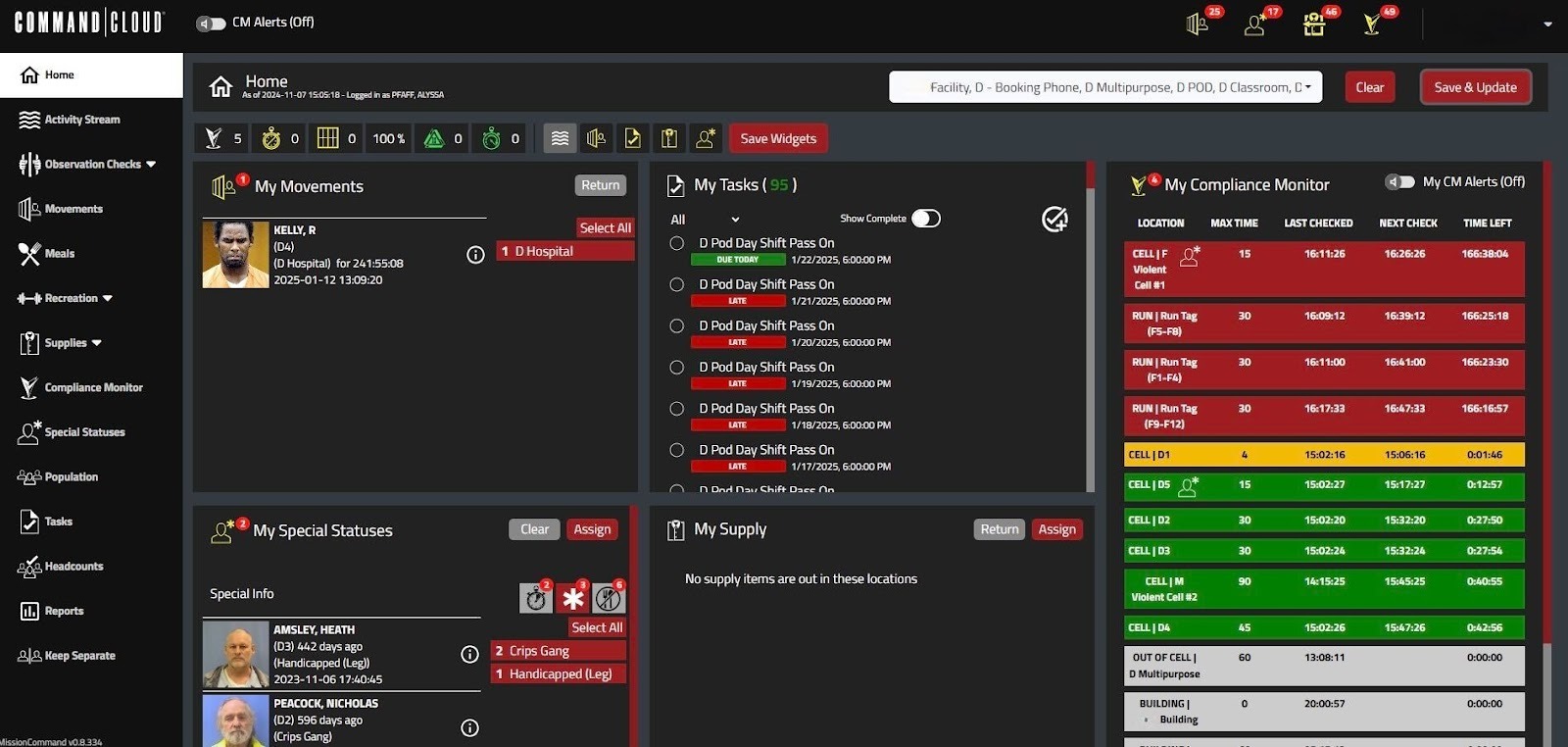
Command Cloud’s dynamic reporting allows users to customize the date range by specifying a start and end date—down to the hour if necessary. Users can also filter reports further by utilizing several parameters specific to the data captured, including location, inmate name, officer name, and more. Once the filters are applied, the report is generated and can be exported as a PDF.
Command Cloud empowers agencies with a single source of truth by delivering defensible, court-ready verification of officer presence and actions. By combining Mobile Command XR’s real-time data capture with Mission Command’s powerful reporting and review capabilities, every scan, observation, and interaction is recorded with confidence.
With Command Cloud, agencies strengthen their overall operational oversight while maintaining strong defensibility for audits, investigations, and court proceedings. Having the tools that support accountability, transparency, and safety—all in one platform—ensures that your team gets home safe.
.jpg)